# Manual: WhatsApp Business API without verification

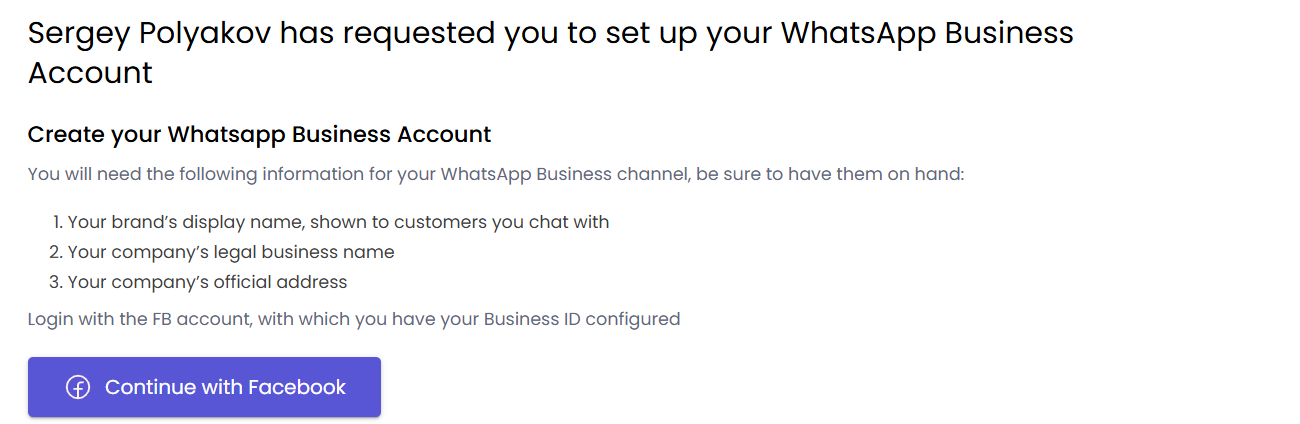
0\) Continue with Facebook

[![image.png](https://support.chatarchitect.com/uploads/images/gallery/2026-04/scaled-1680-/Kprimage.png)](https://support.chatarchitect.com/uploads/images/gallery/2026-04/Kprimage.png)

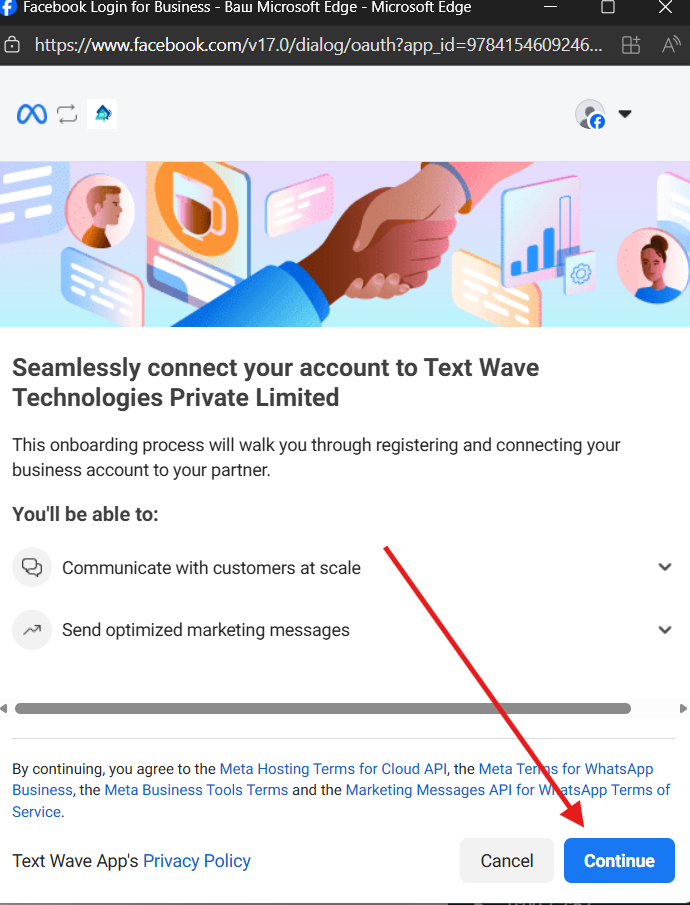
<figure id="bkmrk--1"></figure>1\) Continue

[![image.png](https://support.chatarchitect.com/uploads/images/gallery/2026-04/scaled-1680-/TMUimage.png)](https://support.chatarchitect.com/uploads/images/gallery/2026-04/TMUimage.png)

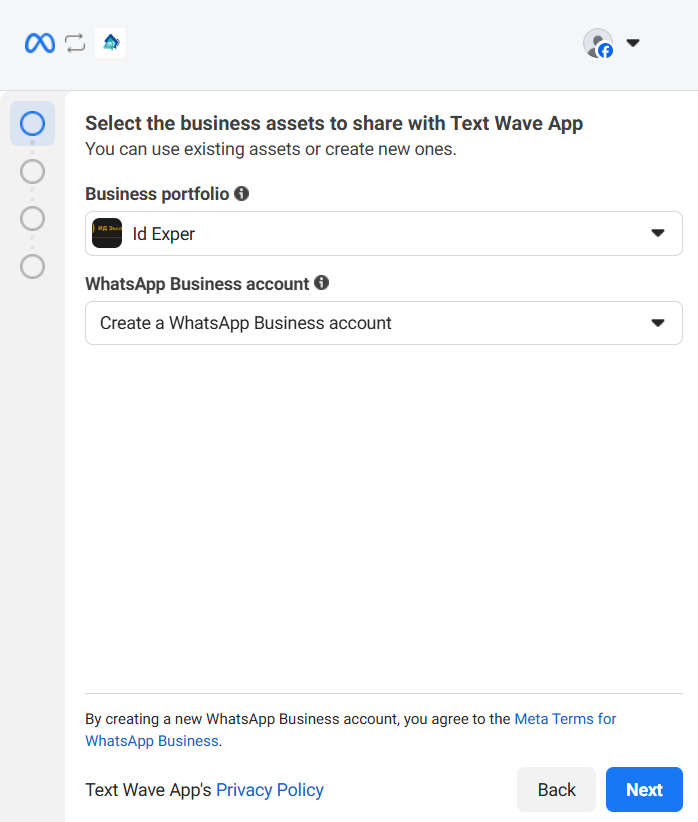
<figure id="bkmrk--3"></figure>2\) Choose Business portfolio and choose "Create a WhatsApp Business account"

[![image.png](https://support.chatarchitect.com/uploads/images/gallery/2026-04/scaled-1680-/r9ximage.png)](https://support.chatarchitect.com/uploads/images/gallery/2026-04/r9ximage.png)

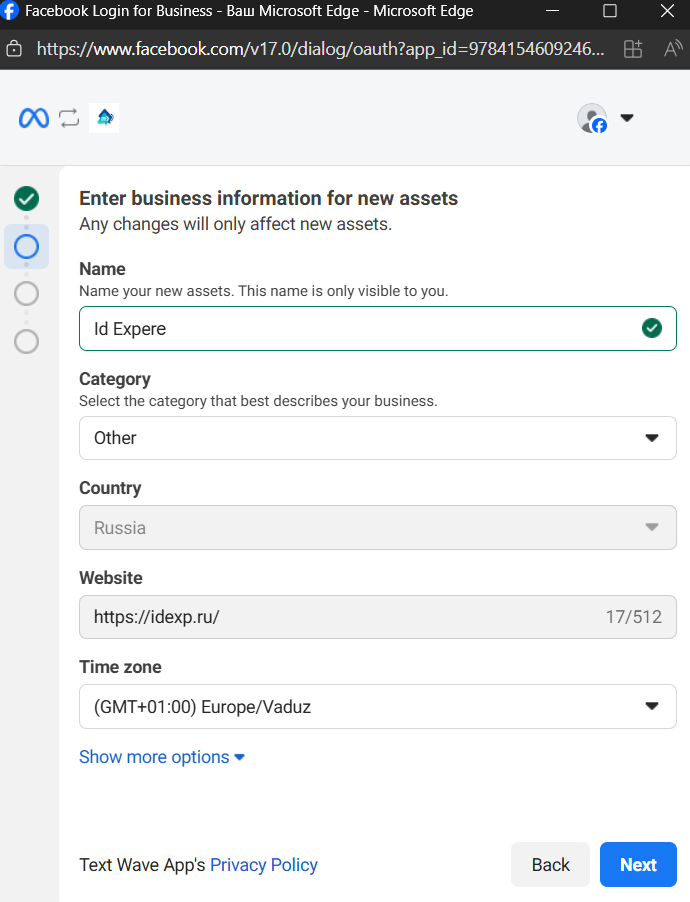
<figure id="bkmrk--5"></figure>3\) Fill in all information and press "Next"

[![image.png](https://support.chatarchitect.com/uploads/images/gallery/2026-04/scaled-1680-/a9Himage.png)](https://support.chatarchitect.com/uploads/images/gallery/2026-04/a9Himage.png)

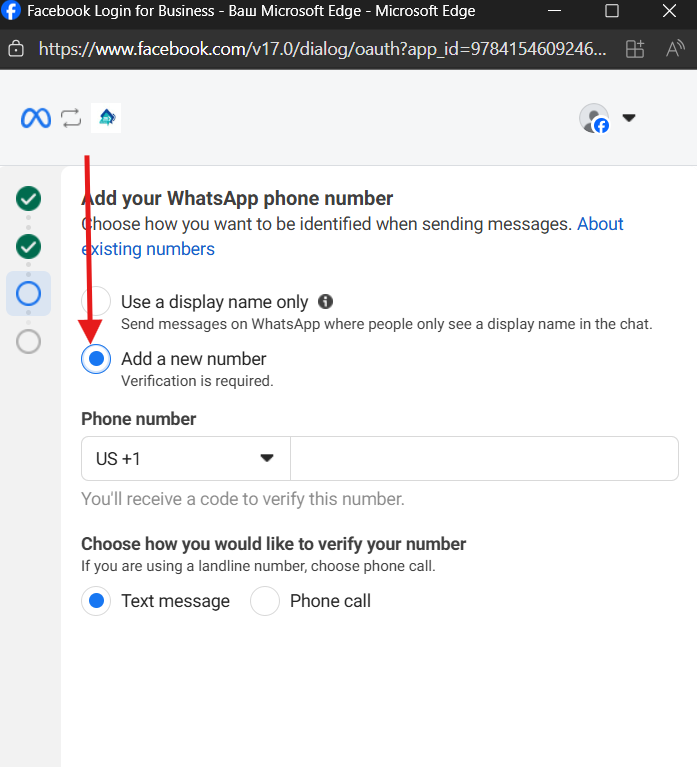
<figure id="bkmrk--7"></figure>4\) Choose "add a new number" and fill in number that you want to connect

<figure id="bkmrk--8"></figure>[![image.png](https://support.chatarchitect.com/uploads/images/gallery/2026-04/scaled-1680-/GHVimage.png)](https://support.chatarchitect.com/uploads/images/gallery/2026-04/GHVimage.png)

  
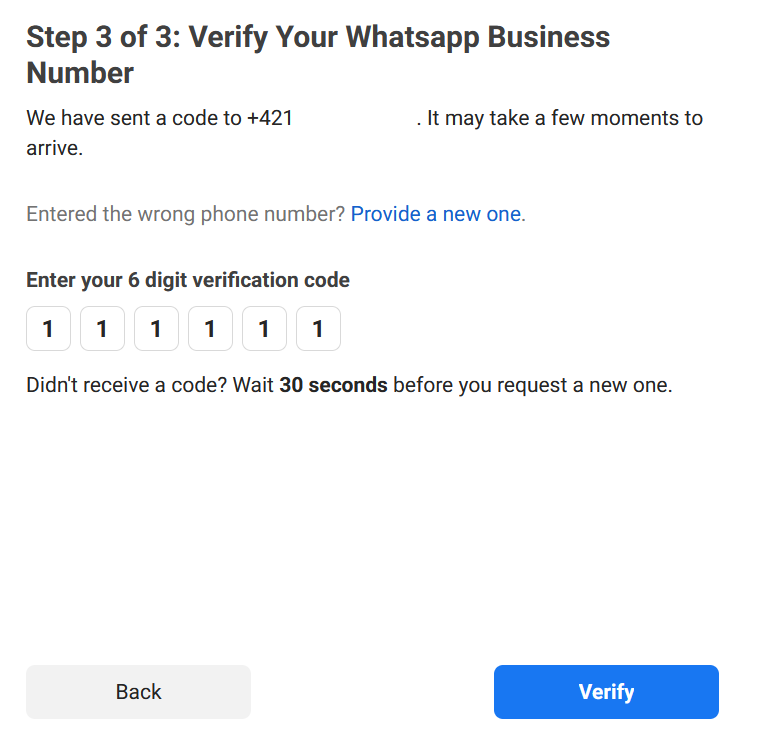
5\. Verify number by using SMS\\Voice call![36c15fa9b34bcbbda2f7610dd40f8a1c.png](https://bookstack-support-u7942.vm.elestio.app/uploads/images/gallery/2026-03/embedded-image-lsjwzbnp.png)